MCP
Intent
MCP — the Model Context Protocol — is an open standard that lets an agent connect to external tools and data through one shared interface, instead of a bespoke integration per tool.
Problem
Imagine you want your agent to work with tools like Notion, Jira, and Google Docs, each with its own API and its own login. Without a shared standard, every tool needs a dedicated connector for every client: one for ChatGPT, one for Claude, one for Codex, and so on. The connectors multiply, every app times every client.
Solution
MCP puts a standard protocol between the two sides. A server wraps a tool or data source (Notion, Jira, Google Docs) and exposes it over the protocol. A client (Claude Code, Cursor, Codex, and others) speaks that same protocol, so it can talk to any server without knowing its internals. You integrate each tool once, and every MCP-compatible client can use it.
The agent talks to every server the same way: it asks what the server offers and calls those capabilities through the protocol. Add a new server and the agent gains its tools; switch clients and your servers come with you.
Real World Analogy
Before USB-C, every device had its own port: one cable for the phone, another for the camera, a barrel jack for the laptop. A new device meant a new cable. USB-C replaced that with a single shape: one port, and anything that speaks it plugs into anything else.
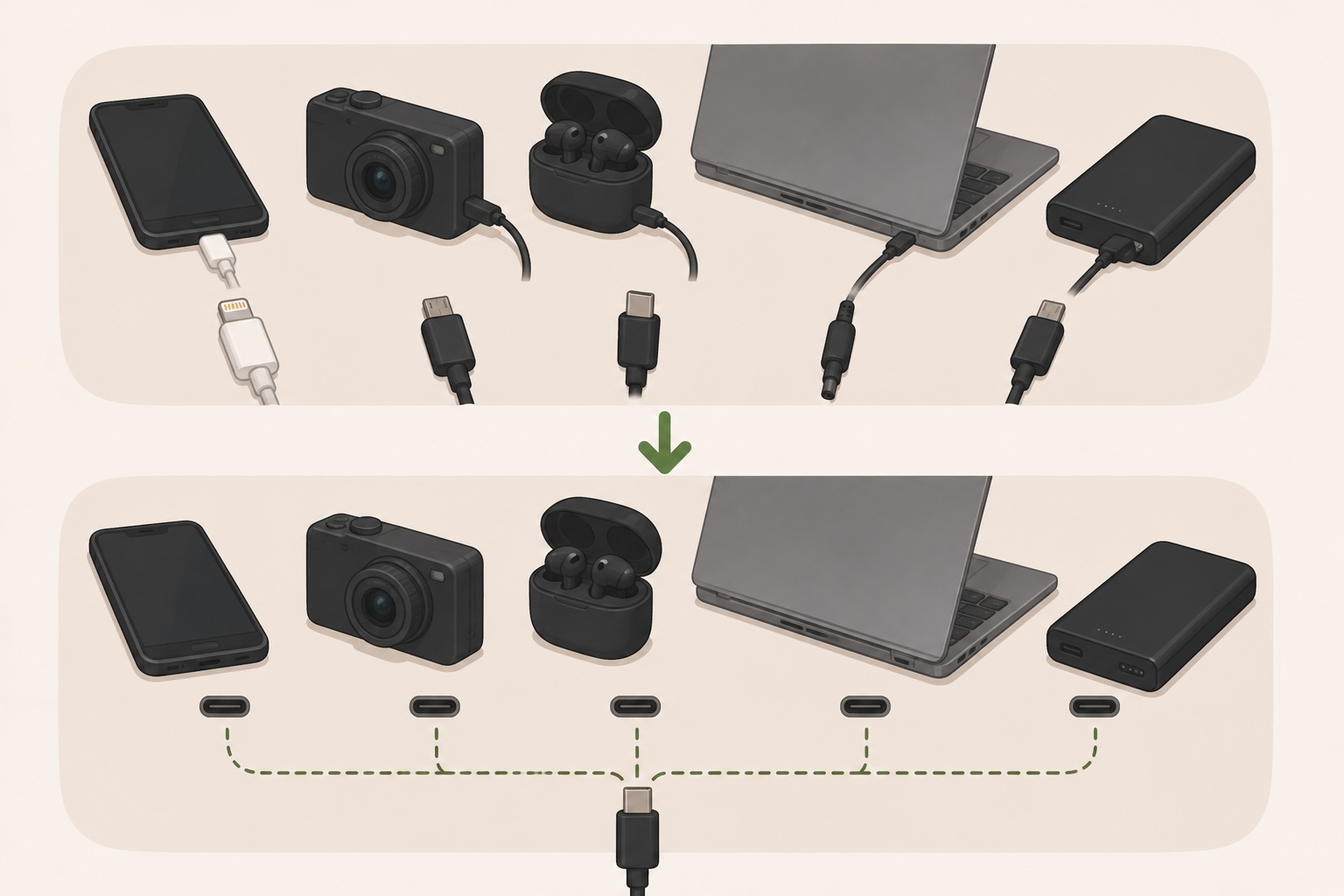
MCP is the USB-C port for agents. The server is the device, the client is the host, and the protocol is the shared shape between them. Wire each side to the standard once, and they all interoperate.
Anatomy of the MCP Configuration
To use a server, you point your client at it with a small config entry, which lives in a per-client file.
MCPs require a Server
A server can run locally over stdio (the client spawns the command) or remotely over HTTP (you point it at a URL). Either way, the client asks the server what it exposes when it connects: its tools (actions the agent can call), resources (data it can read), and prompts (canned workflows). Your config only points at the server; the capabilities come from the server itself. If it needs credentials, pass them through env.
User-Level MCPs
~/
└──.claude.json # General Claude configuration including MCPs
Project-Level MCPs
<your-project>/
├── .mcp.json # ← MCPs
└── .claude/
Note: At the time of writing, Antigravity doesn't support project-level MCPs.
Tips
- ✓Give a server only the scope and credentials it needs — it runs with whatever access you hand it.
- ✓Prefer a few focused servers over one that exposes everything; the agent reads every tool a server offers.
Install an MCP from Bash
claude mcp add --transport http <name> <url>
Pros and Cons
👍 Pros
- +Integrate a tool once and every MCP-compatible client can use it — and your servers follow you when you switch clients.
- +The agent discovers a server's capabilities at connect time, so you wire up tools through config instead of describing each one.
👎 Cons
- −A server runs with the access and credentials you give it, so each one you add is a trust and security surface to manage.
- −Every tool a server exposes is listed to the agent, so a broad server spends context tokens and can crowd the model's choices.